


Quick Summary
Standing desk motors usually fail because of overloading, long continuous running that overheats the windings, obstructions during movement, unstable power, or loose connectors. Many apparent motor faults are actually cable, handset or power problems, so check those first. Allow rest periods between adjustments to protect the motor.
- Check the mains cable, plug and socket before assuming the motor has failed.
- Reseat all connectors at the control box, as loose or damp pins cause intermittent faults.
- Unplug the desk and reset it by holding the down, then up buttons to clear protective shutdowns.
- Stay within the frame's rated load, which is 120kg for the FRISKA Stockholm Signature, including the desktop.
- Allow rest periods between adjustments, since continuous running builds heat in the windings and gearbox.
Table of Contents
- How a Standing Desk Motor Works and Why It Wears Out
- Common Causes of Standing Desk Motor Failure
- Standing Desk Motor Not Working: A Diagnostic Flow
- Standing Desk Troubleshooting Without Risking Injury
- Standing Desk Reset Procedure After a Motor Fault
- How Long a Standing Desk Motor Lasts and How to Protect It
- Booking Your Replacement or Repair With FRISKA DESK
- Frequently Asked Questions
How a Standing Desk Motor Works and Why It Wears Out
Last Updated: November 2, 2026
A standing desk motor lifts the desktop by turning a small gearbox, which drives a pair of lead screws or a telescopic column. Most desks use one motor per leg, so two motors work together to keep the top level.
Every movement puts load on the gears and the motor windings. The motor heats up as it works, and over time the grease in the gearbox thins, parts wear, and the desk moves a little slower or a little less smoothly.
- Gears: Plastic or metal gears grind down with repeated loads.
- Windings: Heat from long runs breaks down the insulation over time.
- Lead screw: Dirt and dry lubrication cause friction and noise.
A standing desk motor is not built for continuous running. It is built for short bursts of lifting, followed by rest. Ignoring that design limit is one of the fastest ways to shorten its life.
Common Causes of Standing Desk Motor Failure
Most motor failures come from a small set of causes. Knowing them makes it easier to spot the problem early.
- Overloading: Lifting a heavy monitor arm, a large PC or a loaded desktop beyond the rated capacity strains the motor. The FRISKA Stockholm Signature frame, for example, has a maximum load of 120kg including the desktop.
- Long continuous use: Running the motor for many cycles in a row without rest causes heat build-up.
- Obstructions: Hitting a chair leg, a cable tray or a wall while lowering or raising the desk can damage the gearbox. Anti-collision sensors help, but they do not catch everything.
- Poor power supply: Unstable mains voltage or a faulty plug can cause the motor to stutter or stall.
- Damp or loose connectors: Moisture or a loose plug at the control box can cause intermittent faults that look like motor failure.
A common mistake is assuming the motor is dead when the real fault is a loose cable. Check the simple things first.
Standing Desk Motor Not Working: A Diagnostic Flow
Before blaming the motor, work through the faults in a clear order. This separates motor failure from power, handset and cable problems. The aim is to identify the failed component before spending money on a replacement.
Start by observing three things: whether the handset lights up, whether you hear a hum when you press a button, and whether the desk moves at all. Those observations point to different fault families.
Symptom-Led Decision Tree
Use the table below to narrow down the likely cause. Work from the top down and stop when a symptom matches.
| Symptom | Likely fault family | First check |
|---|---|---|
| No lights on handset, no hum, no movement | Power supply, mains cable or control box | Confirm the socket works with another device; inspect the mains cable and plug |
| Handset lights up but no hum and no movement | Handset signal, control box or motor cable | Reseat the handset cable at the control box; try a known-good handset if available |
| Hum but no movement | Motor, gearbox or lead screw obstruction | Clear obstructions; listen for grinding; check the lead screw for dirt or dry lubrication |
| Movement in one direction only | Handset button, control box limit setting or motor | Test the opposite button; check for a stuck limit switch; inspect the motor connector |
| Desk moves unevenly or tilts | Synchronisation fault, one weak motor or a loose connector | Reseat all motor and control-box connectors; run a reset procedure |
| Intermittent stopping or stuttering | Loose connector, damp, or unstable mains voltage | Inspect connectors for moisture or corrosion; test the socket with another device |
| Repeated protective shutdown after short use | Overheating, duty-cycle limit or overload | Reduce load; allow rest periods; check the rated capacity |
Ruling Out Power, Cable and Connector Faults
Start with the simplest checks. Make sure the desk is plugged in firmly and that the socket works. Inspect the cables for cuts, kinks or pinched sections, especially where they pass through the frame. Loose connectors at the control box are a frequent cause of intermittent faults, so unplug and reseat each one. Look for damp or corrosion on the pins, particularly if the desk is near a window or in a humid room.
Watch out: a cable that looks intact can still have a broken conductor inside the insulation, so flex the cable gently while the desk is unplugged and look for any change in continuity if you have a multimeter.
Ruling Out Handset and Control Box Faults
If the motor is silent, test the handset or switch. A faulty control switch can send no signal even when the motor is fine. The Kubbe Memory Standing Desk Control Switch, at £60.00, is one replacement option if the switch itself is the problem. You can also view a programmable switch with LCD display to compare alternatives.

If the handset lights up but the desk does not respond, the control box may not be receiving or relaying the signal. Check that the handset cable is fully seated at both ends.
Isolating the Motor
If power, cables, handset and control box all check out, the motor or gearbox is the likely cause. A motor that hums but does not turn often has a seized gearbox or a jammed lead screw. A motor that is completely silent with power confirmed at its connector may have a failed winding or internal thermal cut-out. In either case, internal motor repair is a job for a qualified technician.
guidance on safe electrical testing
Stockholm Signature Standing Desk (with Bluetooth Control) →
Standing Desk Troubleshooting Without Risking Injury
Electrical work carries real risk. Keep testing within safe limits.
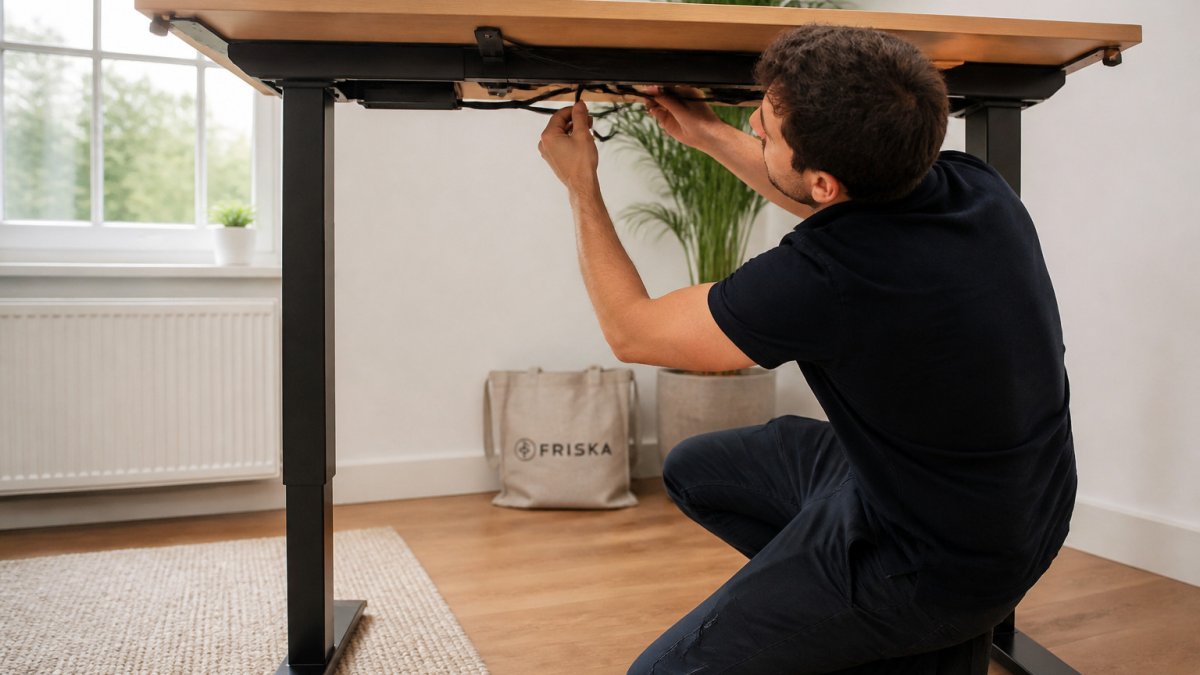
- Unplug the desk before touching any cable, connector or the underside of the frame.
- Do not open the motor housing or the control box unless you are qualified to do so.
- Keep hands and cables clear of the moving parts when the desk is powered.
- If you smell burning, see smoke or feel heat from the motor, stop and unplug it.
- If the fault is in the motor or the internal wiring, arrange a repair rather than attempting it yourself.
Safe testing means checking visible, external parts only. Anything beyond that belongs to a qualified technician.
Standing Desk Reset Procedure After a Motor Fault
Many desks enter a protective shutdown after an overload or an obstruction. A reset often clears this state.
- Unplug the desk from the mains for 30 seconds.
- Remove any load from the desktop and clear the area around the legs.
- Plug the desk back in and press and hold the down button until the desk reaches its lowest position.
- Press and hold the up button until the desk reaches its highest position.
- Test a short movement in each direction.
If the desk still does not respond, the fault is likely in the motor, the cable or the control box. Check the earlier diagnostic steps before assuming a repair is needed.
How Long a Standing Desk Motor Lasts and How to Protect It
A well-used standing desk motor can last for many years, but lifespan depends on load, duty cycle and heat. Most manufacturers design these motors for short bursts of lifting followed by rest, not continuous running. Understanding that duty cycle is the key to protecting the motor.
Duty Cycle, Heat and Rest Periods
Every motor has a duty cycle: the proportion of time it can run before it must cool. A typical standing desk motor is rated for intermittent use, often expressed as a maximum run time followed by a rest period. Running the desk up and down repeatedly without a pause builds heat in the windings and gearbox.
A common pattern is to adjust the desk several times in quick succession while setting up a workstation, then find it unresponsive. That is usually the thermal cut-out, not a failed motor. Allow the desk to rest for the period stated in the manual before trying again.
Load, Levelling and Cable Routing
Keeping the load within the rated limit is the single most effective way to extend motor life. The FRISKA Stockholm Signature frame, for example, has a maximum load of 120kg including the desktop. A solid wood desktop adds significant weight, so match the desktop to the frame's rated capacity.
Levelling matters too. If the desk is not level, one motor works harder than the other, which accelerates wear and can cause synchronisation faults. Check the feet and the frame fixings periodically. Keep cable routing tidy so cables do not catch on the frame or drag on the lead screws.
Prevention Checklist
Use this checklist every few months to reduce the risk of repeat failures:
- Stay within the stated maximum load, including the desktop, monitor arms and PC.
- Allow rest periods between adjustments, especially during initial setup.
- Keep the lead screws clean and lightly lubricated as directed by the manufacturer.
- Check that all connectors at the control box are fully seated and free of damp.
- Confirm the desk is level and that both legs move evenly.
- Route cables away from moving parts and inspect for kinks or pinching.
- Avoid running the motor continuously for long periods.
Watch out: lubricating a lead screw with the wrong product can attract dust and increase friction, so use only the lubricant specified in the manual.
When to Repair and When to Replace
If the motor has overheated repeatedly or the gearbox is grinding, repair may not be economic. A replacement motor or frame is often the practical choice, particularly if the desk is out of guarantee. Check the product listing for the cover that applies to your model before deciding. The NINJA Professional Height Adjustable Gaming Desk, at £610.00, comes with Bluetooth control and an anti-collision sensor, and the Stockholm Standing Desk Frame is available on its own if you only need a new frame after a motor fault.
Booking Your Replacement or Repair With FRISKA DESK
If the motor or frame is beyond repair, FRISKA DESK can help you find a replacement. Browse the height adjustable gaming desk with Bluetooth control to compare options. The NINJA Professional Height Adjustable Gaming Desk, at £610.00, comes with Bluetooth control and an anti-collision sensor. If you only need a new frame after a motor fault, you can order a standing desk frame without the top on its own.

Contact the FRISKA DESK team on the UK hotline 020 8064 0600 or at sales@friskadesk.com to discuss your options. Check the product listing for the guarantee that applies to your model.
Frequently Asked Questions
Why is my standing desk not working?
The most common reasons are a power supply problem, a loose or damp connector, a faulty handset, or a motor that has tripped its protective shutdown. Start by checking that the mains plug and power switch are working and that the cables are fully seated. If the desk still does nothing, try a reset with the power off for several minutes. If the desk makes a humming sound but does not move, the motor or lifting mechanism is more likely to be the cause and should be checked before you attempt any further repair.
Can a standing desk motor be repaired?
Some faults can be fixed at home, such as a loose cable, a worn handset or a desk that needs a reset. A motor that has failed internally usually needs replacing rather than repairing. Check your desk's serial details and warranty before ordering any parts. If your desk is still under warranty, contact the support team first rather than opening the motor housing yourself.
Can overloading a standing desk damage its motor?
Yes. Each desk has a rated load, and the Stockholm Signature and NINJA Professional models are rated to 120kg including the desktop, while the NINJA Professional Extreme is rated to 160kg. Consistently exceeding that weight can strain the motors and lifting mechanism, and many desks will trigger a protective shutdown when overloaded. Keep equipment and loads within the stated limit and spread weight evenly across the desktop.
