


Last Updated: 10 November 2026
Quick Summary
Professional desk installation is worth it for buyers who want a standing desk working quickly and correctly with little effort, since a trained person assembles the frame, fixes the desktop, levels it and checks the height adjustment. DIY assembly suits confident buyers who want to keep costs down and have the tools, time and a helper available.
- Professional installation covers frame assembly, desktop fixing, levelling and a height adjustment check.
- A first-time standing desk build often takes two to three hours, plus delivery-window waiting.
- Confirm which items the installation price covers before paying for the service.
- Lifting the desktop without a helper risks damage and strain, so arrange a second person.
- Test the desk through its full height range and check stability before loading equipment.
Table of Contents
- What Professional Desk Installation Actually Covers
- Professional Installation Versus DIY Assembly
- Standing Desk Assembly Time: What to Expect
- Professional Desk Installation Cost Breakdown
- DIY Standing Desk Assembly: Difficulty, Tools and Stability
- Standing Desk Setup Checklist for a Safe, Stable Workstation
- Booking Your Installation or Choosing a Delivery Option
- Frequently Asked Questions
What Professional Desk Installation Actually Covers
Is professional desk installation worth it? For many UK buyers, the answer depends on how much time, tooling and confidence they bring to the job.
A standing desk arrives in several parts: a frame, a desktop, control hardware and cable routing. Professional desk installation generally means a trained person assembles the frame, fixes the desktop, levels the unit and checks that the height adjustment runs smoothly before leaving. Practical details, such as where the desk sits and how cables are tidied, vary by service and should be confirmed with the provider before booking.
Before deciding, check what your chosen option includes. A simple checklist helps:
- Assembly of the frame and desktop
- Levelling and a stability check
- Confirmation that the height adjustment works
- Removal of packaging, where offered
- Cable management guidance, where offered
Health and Safety Executive guidance on workstation setup
Professional Installation Versus DIY Assembly
Most buyers weigh two options: pay for installation, or assemble the desk themselves. Each suits a different kind of buyer.
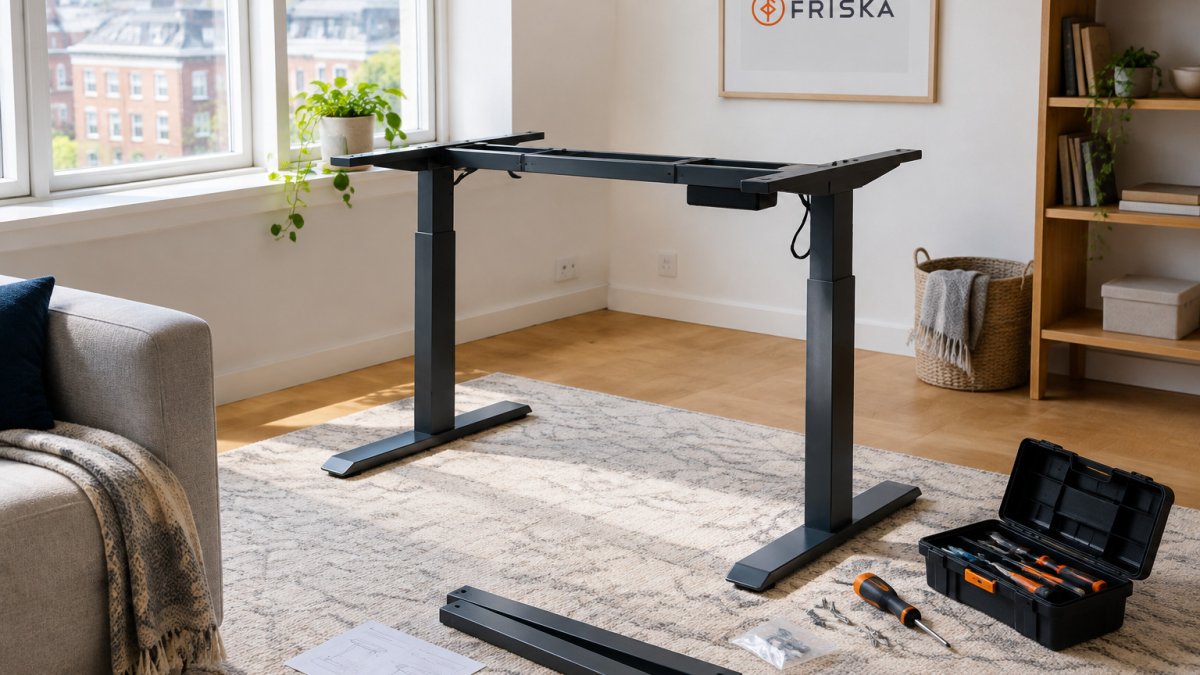
Professional installation suits people who want the desk working quickly and correctly with minimal effort. DIY assembly suits people comfortable with tools and instructions who want to keep the cost down.
Consider the trade-offs:
- Professional installation: Less effort, faster setup, and a trained person checks levelling and stability.
- DIY assembly: Lower upfront cost, full control over the process, and the satisfaction of building it yourself.
- Hybrid approach: Some buyers assemble the frame and pay for a final check, which balances cost and assurance.
A common mistake is underestimating how long DIY assembly takes, particularly for a first build. Plan for a longer session than the box suggests.
Standing Desk Assembly Time: What to Expect
Assembly time depends on the desk, the buyer's experience and whether a second person helps. Most DIY builds take a few hours, with the first build usually longer than later adjustments.
Installation time for a professional is typically shorter, because the installer works without interruption and knows the sequence. Ask the provider for an estimate before you book, as timing varies by desk model and site conditions.
Plan your day around the delivery window. Clear the room, lay down a protective sheet and keep the instructions to hand.
Professional Desk Installation Cost Breakdown
| Option | Price | Notes |
|---|---|---|
| Choose your delivery - installation option | £140.00 | Installation or delivery option |
| Choose your delivery - installation option | £280.00 | Installation or delivery option |
| Choose installation or delivery | £0.00 | No-charge option |
What the fee should include
A transparent installation quote is itemised. Before you pay, confirm whether the price covers:
A realistic DIY cost comparison
- Your time: a first-time standing desk build often takes two to three hours, plus delivery-window waiting. At an illustrative £15-£25 per hour of your own time, that is £30-£75 of effort before anything goes wrong.
- Tools: a screwdriver or Allen key set, a spirit level and a helper are the minimum. If you own none of these, budget £20-£40 for basic tools.
- Damage risk: a cross-threaded insert, a scratched desktop or a dropped frame can cost more than the installation fee to put right, and replacement desktops are rarely cheap.
- Repair and rework: if the frame is not square, wobble at height may need a second session to diagnose and fix, more time you did not plan for.
Judging value against the desk itself
A useful rule of thumb is to compare the installation fee with the value of the desk and the cost of your own time.
Pros of professional installation:
Cons of professional installation:
DIY Standing Desk Assembly: Difficulty, Tools and Stability
DIY assembly is manageable for many people, but the difficulty varies sharply by desk type. A basic fixed-height desk is a straightforward build; an electric standing desk adds control hardware, cable routing and a height mechanism that must be tested before the desk is loaded. Because getting the mechanism and cable routing right can be more demanding than assembling a fixed-height desk, Furniture and Appliance 4less can help put the wider value of professional furniture setup into perspective.
Realistic time and difficulty by desk type
- Fixed-height desk, single person: often one to two hours for a confident DIYer.
- Electric standing desk, first build: typically two to three hours, longer if the instructions are unclear or a helper is not available.
- Multiple desks or a business fit-out: time multiplies, and consistency of setup matters as much as speed.
Difficulty rises with desk size, the number of parts and whether the frame arrives partly pre-assembled. Ask the provider whether the frame ships assembled or flat-packed, because that single detail changes the job substantially.
Tools and preparation checklist
- Screwdriver or Allen key set that matches the fixings supplied
- Spirit level for checking the frame and desktop
- A second person to lift and position the desktop
- Clear floor space and a protective sheet
- The instructions and the parts manifest to hand
- A clear route from the delivery point to the room
Step-by-step assembly outline
- Unpack and check every part against the manifest before starting.
- Assemble the frame on the floor, leaving fixings finger-tight.
- Square the frame and tighten fixings evenly, working diagonally.
- Fix the desktop to the frame with a helper holding it in position.
- Connect the control hardware and route cables clear of moving parts.
- Test the height adjustment through its full range before loading equipment.
- Check stability at the highest setting, then set your working height.
Stability and safety
Stability is the main concern. A frame that is not square or evenly tightened can wobble at height. You can read how to prevent or fix wobble and stability problems before you start. Tighten every fixing, then test the desk at its highest setting before loading it with equipment. Keep cables away from the moving mechanism and check fixings periodically after the first week of use.
Assembling alone and lifting the desktop without a helper can lead to damage and strain, so arrange a second person for the lift even if you build the frame yourself.
Awkward conditions that favour professional help
Some situations make DIY disproportionately harder: stairs and narrow doorways that restrict how a heavy desktop can be carried, small rooms with no clear floor space to lay out parts, very heavy solid-wood desktops, and working alone.
Standing Desk Setup Checklist for a Safe, Stable Workstation
Once the desk is assembled or installed, run through this checklist:
- Check the desk is level on the floor
- Confirm the height adjustment moves smoothly through its full range
- Route and secure all cables away from moving parts
- Test stability with your typical monitor and accessories
- Set the height so your elbows sit at roughly a right angle
Keep the desk clear of trailing cables, and check the fixings periodically.
Booking Your Installation or Choosing a Delivery Option
If you have decided installation is worth it, choose your option on the product page before you check out. Compare the installation options available for your desk, confirm what each includes, and book the option that suits your timing and budget. You can compare the delivery and installation options side by side before you choose.
FRISKA DESK offers the choose installation or delivery option, which lets you decide how your desk reaches you and whether it is set up on arrival. Review the installation and delivery options before you commit.
Whether installation is worth it comes down to your time, your confidence with tools and your budget. Choose the option that fits your situation, and confirm the details with FRISKA DESK before you book.
Frequently Asked Questions
How much does professional desk installation cost?
Compare the fee with the time you would spend assembling the desk, the tools you would need to buy, and the risk of damage during a DIY build. For many buyers, the fee is easier to justify when the desk is large, heavy or has a complex frame.
Is it difficult to assemble a standing desk yourself?
Most standing desks are manageable for one person with basic tools and patience, but the difficulty depends on the frame, the cable routing and the desktop size. The hardest parts are usually lifting the heavy desktop onto the frame, levelling the legs and connecting the height-adjustment controls. Plan for a second pair of hands for the desktop, and keep the instructions and packaging to hand until the desk is standing and tested.
Will professional installation affect my desk's warranty?
Check the warranty terms for your specific desk before booking an installer. Generally, a professional installation carried out to the manufacturer's instructions should not invalidate a warranty, but any damage caused by incorrect assembly may not be covered. Keep your order confirmation and any installation paperwork, as these can help if you need to make a claim later.
What should I check after a standing desk has been installed?
Once the desk is assembled, raise and lower it through its full height range and watch for any wobble, uneven movement or unusual noise. Check that all bolts and fixings are tight, the desktop is level and the cables are routed away from the lifting mechanism. Confirm that the controls respond correctly and that the desk stops at its limits without strain.
