


Quick Summary
Choosing between flexispot vs desktronic depends on budget, stability and support rather than headline features alone. Both brands sell height-adjustable home office desks, but each has trade-offs in build quality, warranty and price that buyers should check before ordering.
- Test any desk fully raised with a monitor on top, because wobble usually shows up at full height.
- Check the warranty length, what it covers and who handles claims before buying either brand.
- Lower-priced frames can suit a tight budget, but stability and support depth vary by model and seller.
- Look at published loading limits and height range rather than marketing language when comparing frames.
- Confirm delivery and installation terms before paying, especially if you are not comfortable assembling a frame.
Table of Contents
- Why Compare FlexiSpot and Desktronic Standing Desks
- How FlexiSpot and Desktronic Differ on Build and Stability
- Desktronic HomePro Review: Strengths and Drawbacks
- FlexiSpot E7 Review: Strengths and Drawbacks
- Warranty and Support: How the Two Brands Compare
- Price, Height Range and Weight Capacity Side by Side
- Choosing the Right Standing Desk for Your Home Office
- Frequently Asked Questions
Why Compare FlexiSpot and Desktronic Standing Desks
Last Updated: October 28, 2026
Choosing between FlexiSpot and Desktronic is a common decision for UK buyers who want an electric standing desk without overspending, and this guide on flexispot vs desktronic sets out what each brand offers. First, you can read whether an electric standing desk is worth buying at all before narrowing down to two brands. Both brands sell height-adjustable frames and desktops aimed at home offices. This comparison looks at how they differ in build, stability, support and price, and where FRISKA DESK sits alongside them.
FRISKA DESK sells Swedish-engineered standing desks, so it is a fair benchmark for the two rivals. The sections below set out what each option offers and where each one falls short, so you can decide which suits your room, budget and working habits.
Anyone spending several hundred pounds on a desk should check the frame, the warranty and the delivery terms before buying. Those details decide how the desk performs after a year of daily use, not just on the day it arrives.
How FlexiSpot and Desktronic Differ on Build and Stability
Frame stability is the first thing to check when weighing up flexispot vs desktronic. For a deeper look at why desks wobble, read our guide to standing desk stability issues and fixes. A desk that wobbles at full height is frustrating to type on and unpleasant to use while standing. Stability depends on the leg design, the cross-beam, the fixings and the quality of the steel.
The Ljungby frame is listed as 30% recycled steel, with a maximum loading weight of 80kg including the worktop. The Stockholm Signature has a maximum loading weight of 120kg including the desktop and a height range from 595mm to 1.3 metres.
When comparing the two rivals, look at the published loading limits, the height range and the leg design rather than marketing language. These details shape how solid the finished desk feels once it is assembled.
Desktronic HomePro Review: Strengths and Drawbacks
The Desktronic HomePro is aimed at buyers who want a straightforward electric desk for a home office. Its main appeal is its price relative to premium Swedish-built options.
Strengths:
- Lower entry price, which suits a tighter budget
- Simple controls that are easy to learn
- Suitable for a standard home office setup
Drawbacks:
- Stability at full height is worth testing before you commit, especially with a heavy monitor
- Warranty terms and support depth should be checked directly with the seller
- Higher-end finishes and custom sizing may be limited compared with bespoke options
A common mistake is judging a desk only at its seated height. Always test it fully raised with a monitor on the top, because that is where wobble shows up.
FlexiSpot E7 Review: Strengths and Drawbacks
The FlexiSpot E7 is one of the most widely sold electric desks in the UK. Buyers choose it for its broad range of sizes and its familiar brand name.
Strengths:
Stockholm Signature Standing Desk (with Bluetooth Control) →
- Wide availability and a large range of desktop sizes
- Good reputation for everyday electric adjustment
- Straightforward setup for most home users
Drawbacks:
- Like many budget frames, stability can vary with the top and monitor weight
- Support quality can differ between retailers, so buy from a seller with clear returns terms
- Premium finish options are more limited than with bespoke desktop makers Achieving long-term comfort requires more than just a sturdy frame, as maintaining proper desk posture support often necessitates a careful evaluation of how your body interacts with the workstation throughout the day.
Before buying, confirm the warranty length, what it covers and who handles claims. A cheap frame with weak support can cost more over time than a dearer one that is properly backed.
Warranty and Support: How the Two Brands Compare
Warranty length and support quality matter as much as the price. Electric motors and control boxes are the parts most likely to fail, so check exactly what the guarantee covers.
FRISKA DESK offers a 10-year guarantee.
For FlexiSpot and Desktronic, warranty terms vary by model and seller. Check the period in writing before you order, and confirm whether the motors and controls are covered.
Price, Height Range and Weight Capacity Side by Side
The table below compares the FRISKA DESK models in this review.
| Model | Price (GBP) | Height Range | Max Load | Best For |
|---|---|---|---|---|
| Ljungby (manual crank) | £360.00 | 715mm to 1215mm | 80kg | Tight budgets, occasional use |
| Primo Designer (Bluetooth) | £1,075.00 | 615mm to 1275mm | 100kg | Minimalist design, app control |
| Aspa Executive (Bluetooth) | £1,295.00 | 680mm to 1170mm | 100kg | Executive look, four-leg stability |
| Stockholm Signature (Bluetooth) | £665.00 | 595mm to 1300mm | 120kg | Heavy setups, widest height range |
The Stockholm Signature has the highest load limit and widest height range of the group at £665.00. If price is your main concern, you can also browse our budget Swedish desks. The Ljungby is the lowest-cost option and is manual.
Choosing the Right Standing Desk for Your Home Office
Start with three questions: how much you will stand each day, how heavy your equipment is, and how much room you have. When you are ready to shortlist, browse our best-selling standing desks. A light laptop setup has different needs from a dual-monitor workstation.
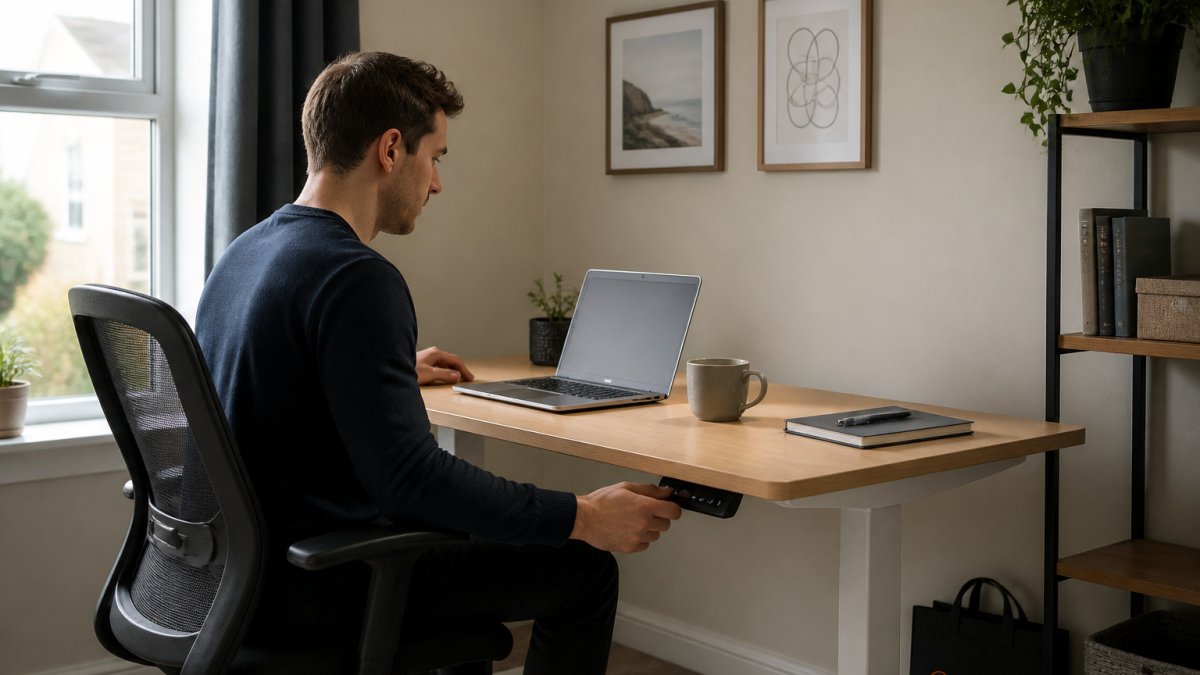
For a small flat, check the footprint and leg position so the desk does not dominate the room.
Confirm the warranty and delivery terms before you pay. Ask whether installation is available if you are not comfortable assembling the frame.
Frequently Asked Questions
Is FlexiSpot or Desktronic better for a standing desk?
Compare the specific models on the points that matter to you, then match them to your desk size, the weight of your monitors and how often you will switch between sitting and standing.
How do FlexiSpot and Desktronic desks compare on stability?
Stability depends on frame design, leg construction and the desktop fixing. Check the stated maximum load and the leg profile in each product specification.
Which is better value: a FlexiSpot or Desktronic standing desk?
Value means more than the sticker price. Compare the purchase cost with the warranty period and included features.
Are standing desks from these brands easy to assemble?
Most electric standing desks need basic tools and a second pair of hands for the desktop. Read the assembly instructions before you start, lay the desktop face down on a soft surface, and tighten all frame bolts evenly. Allow an hour or more for a first build, and keep the packaging until you have tested the desk.
