


Quick Summary
The best desk for remote workers in the UK depends on your space and budget, but the Stockholm Signature Standing Desk, starting at £665.00, suits most home offices. It offers dual motors, Bluetooth and physical controls, and a 120kg maximum load including the desktop.
- The Stockholm Signature Standing Desk starts at £665.00 before any accessories are added.
- Its height range runs from 595mm to 1.3 metres, suitable for users up to 2.1 metres tall.
- The £815.00 Stockholm Signature Bundle adds a cable tray, memory controller and cable ports.
- For tight budgets, the Ljungby Manual Crank Desk costs £360.00 and needs no power supply.
- Compare total cost per year of warranty cover rather than the headline price alone.
Table of Contents
- How We Chose the Best Desks for Remote Workers
- Quick Comparison: Our Top Desks at a Glance
- Best Standing Desk for Home Office Use: Stockholm Signature
- Home Office Desk for Small Spaces: Compact and Corner Options
- Ergonomic Desk Setup: Height, Monitor and Cable Management
- Shared Workspaces and Multi-User Options for Couples and Teams
- Choosing Your Remote Work Desk and Booking Your Installation
- Frequently Asked Questions
Best Desk for Remote Workers in the UK: 7 Picks Compared
Last Updated: October 30, 2026
How We Chose the Best Desks for Remote Workers
Remote working has turned the spare room, kitchen table and bedroom corner into full-time offices for many UK professionals.
Our selection focuses on height adjustability, stability at full height, desk size and fit, storage and cable management, total cost of ownership, warranty cover, delivery and installation.
Each pick is drawn from the FRISKA DESK range, so details reflect published specifications rather than third-party testing. Check current stock, pricing and dimensions before buying.
Quick Comparison: Our Top Desks at a Glance
| Desk | Starting Price | Best For | Key Feature |
|---|---|---|---|
| Stockholm Signature Standing Desk | £665.00 | Most home offices | Bluetooth and physical controls |
| Stockholm Signature Bundle | £815.00 | Buyers wanting accessories included | Cable tray and memory controller |
| Ljungby Manual Crank Desk | £360.00 | Tight budgets | No power supply needed |
| Aspa Executive Designer Desk | £1,295.00 | Design-led spaces | Dual motors, quiet operation |
| Stockholm Signature Corner Desk | £1,165.00 | Corner layouts | L-shaped workspace |
| Invik Mobile Workstation | £550.00 | Shared or moveable setups | Lockable castors, compact top |
| Duo Double Standing Desk | £1,572.50 | Two users side by side | Independent height control |
The Primo Designer Standing Desk at £1,075.00 is also available for buyers wanting a designer finish.
Best Standing Desk for Home Office Use: Stockholm Signature
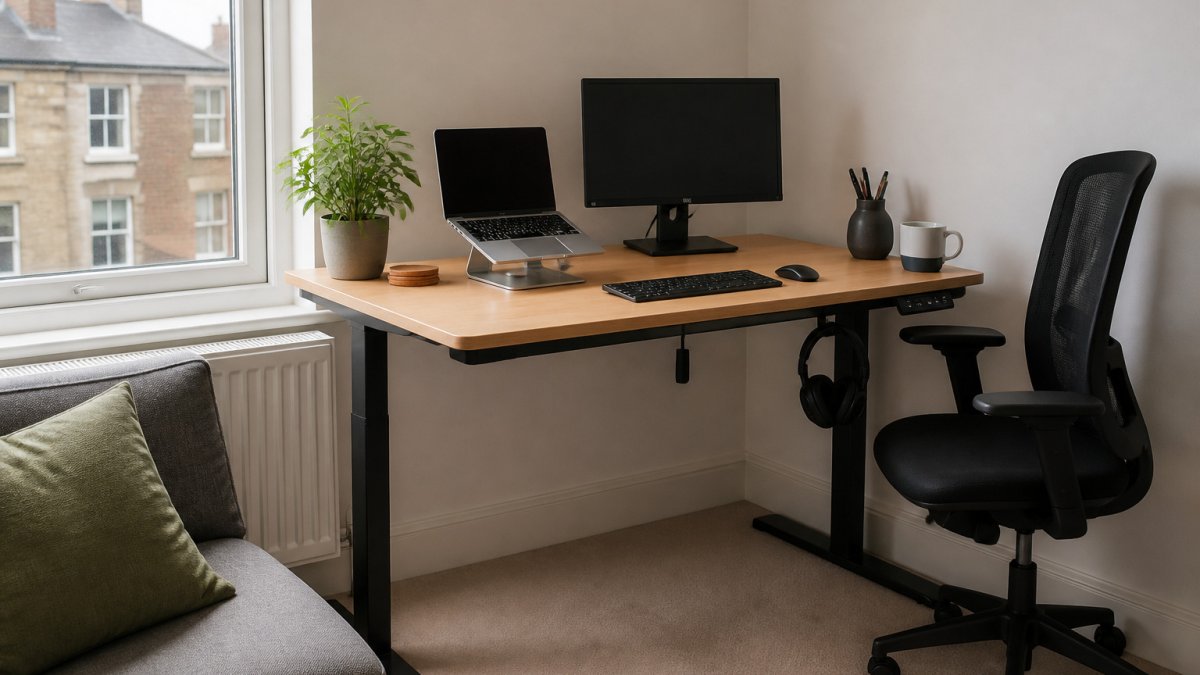
The Stockholm Signature is a strong option for a home office.
Controls are flexible: raise and lower the desk with physical under-desk switches or via the Bluetooth app, where you can pre-set sitting and standing heights. You can find the Stockholm Signature frame with Bluetooth control on its product page.
The frame features a raw metal appearance, finished in a clear matt lacquer, and includes an App adjustable anti-collision sensor.
Watch out: the Stockholm Signature sits at £665.00 before any accessories.
Home Office Desk for Small Spaces: Compact and Corner Options
The Invik Mobile Workstation, at £550.00, is a compact mobile option. It has four heavy-duty castors with wheel locking, and its height range runs from 695mm to 1355mm, with a maximum load of 60kg.
The Stockholm Signature Height Adjustable Corner Desk at £1,165.00 is a corner version of the Stockholm range.
Desk Size for Working from Home: Matching Width and Depth to Your Room
Measure before you order, and check that the frame footprint leaves room for your chair and walking space.
Measure room width against the desktop length you need.
Ergonomic Desk Setup: Height, Monitor and Cable Management
Most buying guides tell you to keep your elbows at a right angle and your screen at eye level, then stop. For the full guide to arranging your home office, read how to set up an ergonomic home office. That advice is correct but incomplete, because it does not tell you what height to set the desk to for your body, chair and equipment.
Work out your sitting desk height from your body, not a chart
Stand in your usual shoes and let your arms hang relaxed. Bend your elbows to roughly 90 degrees so your forearms are parallel to the floor.
Then check the chair: with feet flat and knees at about 90 degrees, your thighs should be roughly parallel to the floor.
For standing, the same forearm test applies: raise the desk until your elbows sit at about 90 degrees with shoulders relaxed.
Match desk dimensions to your chair and equipment
A desk that is too shallow pushes your monitor into your face; one that is too deep encourages you to lean forward. As a working rule:
Stockholm Signature Standing Desk (with Bluetooth Control) →
- Allow at least 600mm of desktop depth in front of the keyboard for a monitor on a stand, and more for a large ultrawide screen.
- Keep the monitor roughly an arm's length away, with the top of the screen at or just below eye level.
- Leave enough width for keyboard, mouse and notepad, 120cm is a practical minimum for a single screen, and 140cm to 160cm suits two screens or paperwork.
A monitor arm is the single biggest gain for most remote workers: it frees desktop depth, lets you fine-tune screen height independently of the desk, and reduces wobble from a monitor perched on a thin top. You can see the Visby Monitor Arm Twin and check it fits your desk.
Accessibility and inclusive use
Ergonomic advice often assumes a user who can stand and reach without difficulty. If you use a wheelchair, have limited reach or fatigue easily, check these points before buying:
- Knee and wheelchair clearance: confirm the frame's crossbar position and clear height beneath the desk. A desk that adjusts low enough for a seated user still needs unobstructed space for knees and armrests.
- Reach to controls: under-desk switches should be reachable from a seated position without stretching. A Bluetooth app or a memory controller mounted at the front edge can help if bending is difficult.
- Adjustment effort: a manual crank desk like the Ljungby needs physical effort each time you change height. An electric desk with memory presets is easier if you have limited strength or dexterity.
Cable management and technology setup
Plan cable routing before assembly, because retrofitting is harder once the top is on. The £815.00 Stockholm Signature bundle adds a cable tray, memory controller and cable ports.
A practical sequence:
- Decide where the power socket and router sit relative to the desk.
- Choose port positions that line up with your monitor and laptop dock.
- Fit the cable tray beneath the top, leaving slack for the full height range.
- Route a single bundle down one leg to the floor, using Velcro ties rather than cable ties.
Shared Workspaces and Multi-User Options for Couples and Teams
Some remote workers share a room. The Duo Height Adjustable Double Standing Desk, at £1,572.50, lets two users raise and lower their own side independently. It uses four motors in total, and each desktop takes a maximum load of 120kg.
The Duo works back to back and can be used with privacy screens. Its lowest height is 595mm and its highest is 1.3 metres.
Choosing Your Remote Work Desk and Booking Your Installation
Price is the easy number to compare and the least useful on its own. A £360.00 manual desk and a £1,295.00 electric desk are not competing on the same terms once you add delivery, assembly, accessories, warranty cover and the likelihood of replacement. Long-term utility often hinges on how these foundational pieces integrate with unique desk accessories to refine your daily workflow.
Compare total cost, not headline price
Start with the desk, then add everything needed to make it usable:
| Cost item | What to check | Typical effect on budget |
|---|---|---|
| Desk frame and top | Whether the top is included or sold separately | The headline price |
| Monitor arm | One or two screens, clamp compatibility | Adds to the total; often essential for ergonomics |
| Cable tray and ports | Included in bundle or extra | Small but easy to overlook |
| Delivery | Mainland vs remote postcodes, room-of-choice | Varies; confirm before ordering |
| Installation | Whether assembly and cable tray fitting are included | Extra charge; saves time and avoids setup errors |
| Warranty | Length and what is covered | Affects long-term cost per year of use |
A simple way to judge value is cost per year of expected use. Divide the total outlay by the warranty period as a rough floor: a £665.00 desk with a 10-year guarantee works out at about £66.50 a year before accessories, while a £360.00 desk with a 7-year guarantee is about £51.43 a year. That does not capture quality differences, but it stops a cheap desk looking cheaper than it is once cover is shorter.
Durability and the features that predict it
Look beyond the marketing description:
- Load rating: the Stockholm Signature is rated to 120kg including the desktop; the Invik Mobile Workstation to 60kg. A higher rating generally signals a sturdier frame, but check it at full height, where wobble is worst.
- Motor count and noise: dual motors on the Stockholm Signature and four motors across the Duo double desk point to smoother, more even adjustment. The stated noise level of 38 dBA is quiet enough for a shared room or a call.
- Frame finish: the raw metal with clear matt lacquer on the Stockholm Signature suits studio spaces but shows marks differently from a painted finish.
- Stability aids: an anti-collision sensor with adjustable sensitivity in the app protects the desk and anything beneath it.
Delivery, assembly and installation
Book early for a fixed date, and clear the install area beforehand so engineers have space to work.
If you self-assemble, allow a clear couple of hours for a standing desk and longer for a corner or double model. Check the box for damage before signing, and keep the packaging until you have tested the desk through its full range.
Warranty, returns and support
FRISKA electric desks carry a 10-year guarantee, while the Ljungby frame carries a 7-year guarantee. Before you buy:
- Confirm what the guarantee excludes, typically wear items, cosmetic damage and misuse.
- Check the returns window and who pays return carriage on a large item.
- Keep your order number and proof of purchase; you will need them for any claim.
- Register the product if the manufacturer asks, so the cover starts cleanly.
Frequently Asked Questions
What is the best desk for working from home?
For most remote workers the best choice is a height-adjustable desk, because it lets you alternate between sitting and standing during the day. The Stockholm Signature Standing Desk with Bluetooth Control, priced at £665.00, has a 120kg maximum load, dual motors and a 10-year guarantee. If your budget is tighter, the manual Ljungby Hand Crank Standing Desk at £360.00 removes the need for a power supply. Choose the width and depth around your monitor and work surface needs.
Are standing desks worth it for remote workers?
A standing desk is worth considering if you spend long hours seated and want to vary your posture. Sit-stand desks let you change height without clearing your workspace, which many people find easier to keep up than a fixed desk. Whether it suits you depends on your habits, so try alternating positions for a week before committing. Expect to pay more for a motorised model than a manual one.
What size desk is best for a home office?
Most home offices work well with a desktop about 120cm to 160cm wide and around 70cm deep, which fits a monitor, keyboard and notepad with room to spare. FRISKA offers standard desktop sizes and bespoke options, so you can match the desk to your room. Measure the space and allow clearance for your chair to move back and for a clear walkway.
Is a sit-stand desk better than a fixed desk?
A sit-stand desk gives you the option to change position. A fixed desk is simpler, cheaper and has fewer moving parts to maintain. The Stockholm Signature desk has a height range from 595mm to 1.3 metres.
How can I make my home office desk more ergonomic?
Set the desk height so your forearms are roughly level with the keyboard and your screen sits at eye level. Use a monitor arm if your desk top is shallow, and keep cables tidy with a cable tray or ports so they do not catch your feet.
