


Last Updated: November 22, 2026
Quick Summary
To choose an under-desk drawer, first decide what it will hold, then measure the floor-to-underside height, clear width, clear depth and any obstruction drop before buying. Leave at least 20 mm of slack on width and depth and 10 mm above the drawer, and pick a mounting style that suits your desk.
- Mounted drawers travel with a height-adjustable desk, while freestanding pedestals stay on the floor.
- Measure clearance at the desk's lowest setting, since that is where space is tightest.
- Clamp-on drawers suit renters and lighter contents such as pens and chargers.
- The Dataflex Bento locker clamps to desktops between 5 mm and 44 mm thick.
- Leave a service loop of at least 150 mm for cables routed to a moving drawer.
Table of Contents
- Start With What Goes In: Storage Format Before Product
- How to Measure for Under-Desk Drawer Dimensions
- Clamp-On, Screw-Mounted or Freestanding: Mounting Styles Compared
- Choosing an Under-Desk Drawer for a Standing Desk
- Under-Desk Storage for a Small Home Office
- Under-Desk Organiser Ideas That Keep Legroom Clear
- Load Limits, Build Quality and Safe Mounting
- Pick Your Drawer Before Your Desk Arrives
- Frequently Asked Questions
Start With What Goes In: Storage Format Before Product
Most people buy an under-desk drawer backwards: they pick a product, then discover it swallows their legroom or won't take an A4 folder.
Three formats cover nearly every home office: shop our range of under desk storage solutions, including under desk drawers and CPU holders.
- Mounted drawers screw or clamp directly to the desk underside, so they move with the desk and leave the floor clear.
- Mobile pedestals are freestanding units on castors that roll under the desk and lock in place when parked.
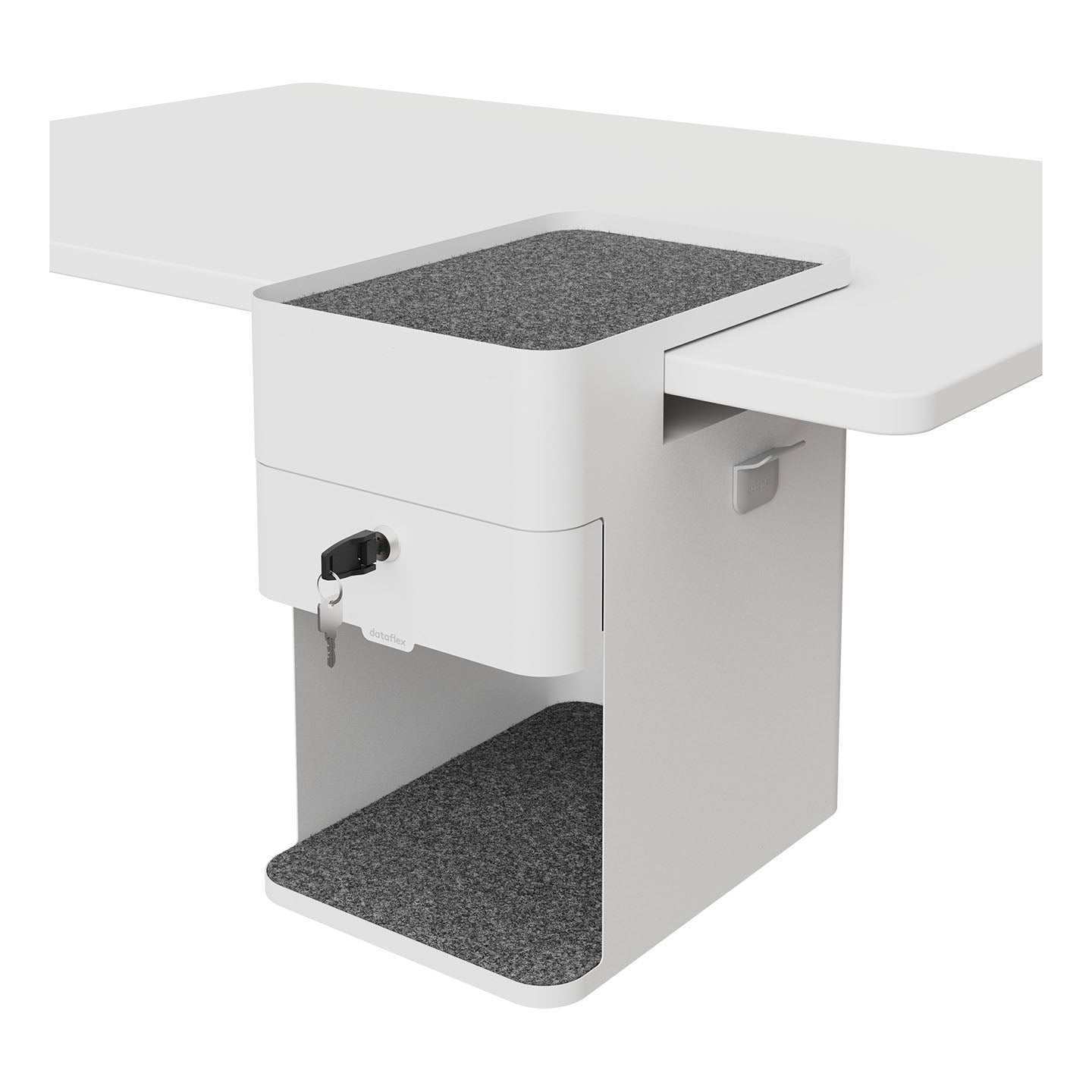
- Desktop lockers clamp to the worktop edge and hold personal items at arm's length.
Documents and bulky files point towards a pedestal. Pens, chargers and a notebook suit a slim mounted drawer. A laptop or tablet needs a lockable unit with airflow.
Mounted Drawers, Mobile Pedestals and Desktop Lockers
A mounted drawer is fixed to the desk and travels with it, which matters on a height-adjustable frame. A rolling pedestal offers more capacity but needs clear floor space and a way to stop it wandering. A desktop locker sits above the worktop, so it never eats into knee clearance.
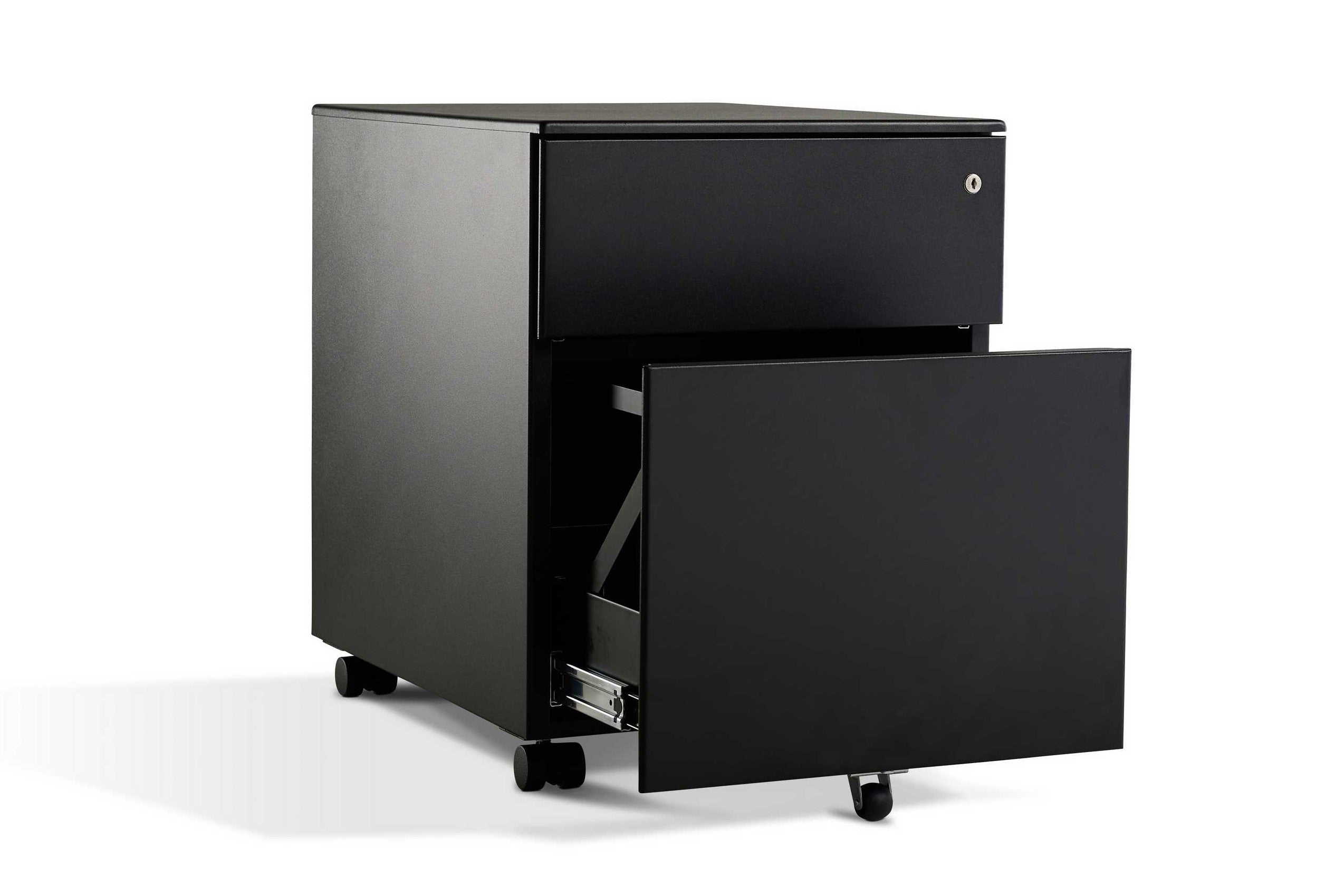
The Jorn two-drawer under-desk pedestal shows how a pedestal should be built: soft-close lockable drawers, an anti-tilt mechanism and lockable castors, all in scratch-resistant powder-coated steel. For a locker format, the Dataflex Bento desktop locker clamps to desktops between 5 mm and 44 mm thick and keeps belongings secure when you step away.
How to Measure for Under-Desk Drawer Dimensions
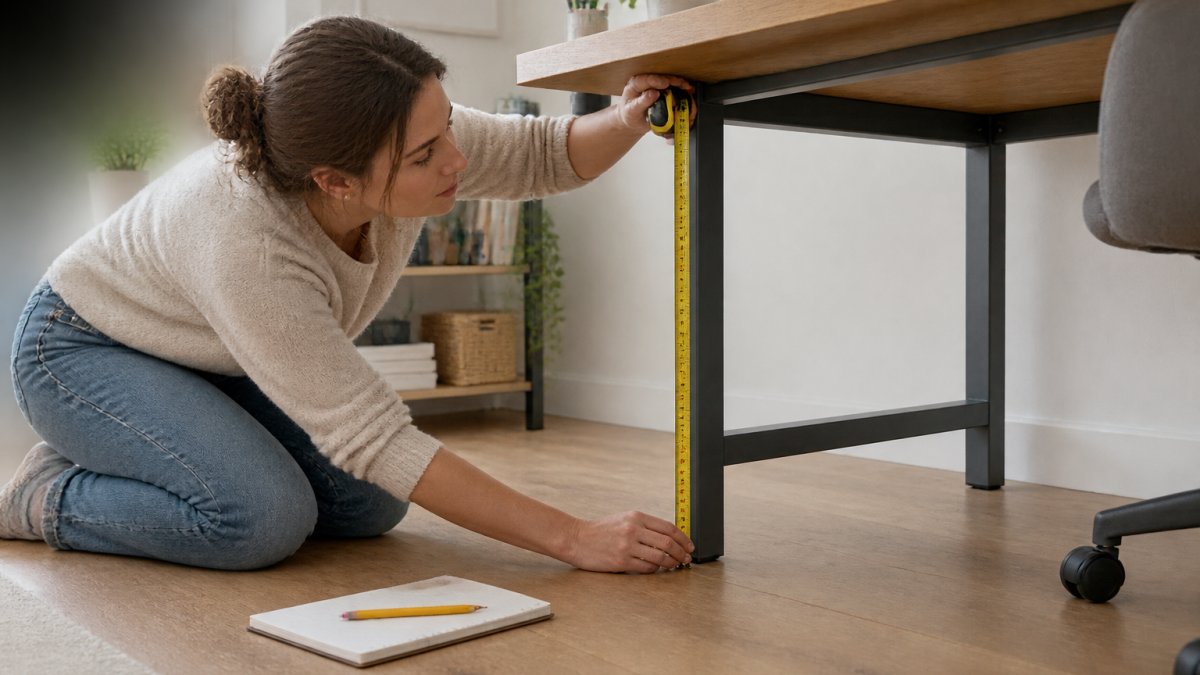
Measure four things before buying: the height from floor to desk underside, the clear width between the legs or frame uprights, the depth from front edge to the rear crossbar or cable tray, and the height of any obstruction hanging below the worktop. A drawer that fits three of them will not fit the desk.
Work through it in this order:
- Floor to underside. Measure at the lowest point of the frame, not the middle of the worktop. On an adjustable desk it changes with height.
- Clear width. Measure between the inside faces of the legs or uprights at the height the drawer will sit; if the frame tapers, use the narrowest point.
- Clear depth. Measure from the front edge of the worktop to the first thing that blocks a drawer sliding back, usually a rear crossbar, a cable tray or a motor housing.
- Obstruction drop. Measure how far any crossbar, tray or motor hangs below the worktop, then subtract this from the floor-to-underside height to get the true usable opening.
As a working rule, leave at least 20 mm of slack on width and depth and 10 mm above the drawer so it never scrapes or binds.
Under-desk drawer dimensions must clear the frame, not just the worktop. Check the space at the desk's lowest setting if it adjusts, since that is where clearance is tightest. Then subtract a finger's width of slack so the drawer never scrapes.
Checking Frames, Crossbars and Cable Trays
Crossbars and cable trays are the usual culprits behind a drawer that will not slide in. Look underneath before measuring and note anything that drops below the worktop.
Cable trays are worse because they are often added after the desk is built.
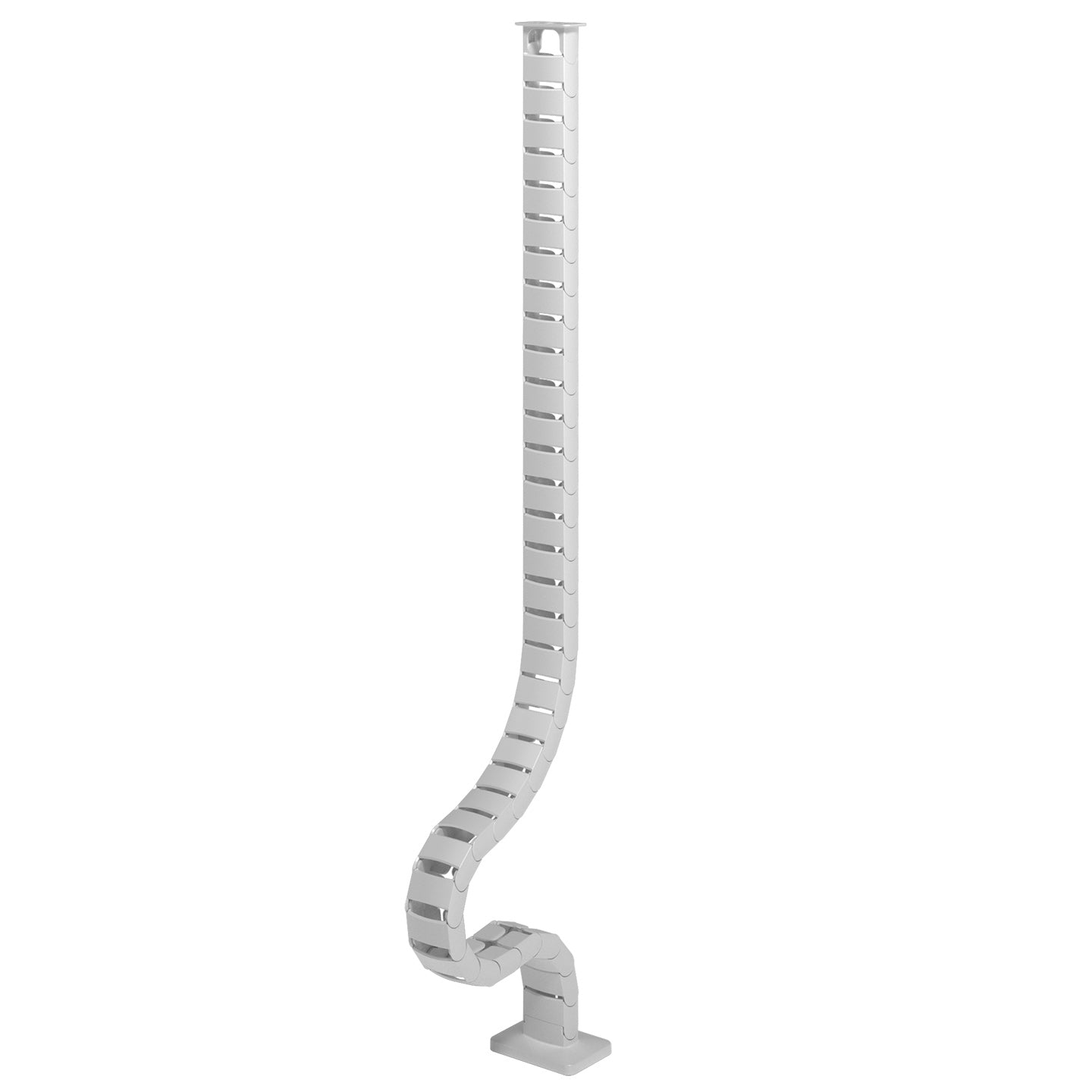
Cables need routing too. A cable guide that runs from desk to floor keeps wiring clear of the drawer and the frame, which matters most on sit-stand models where everything moves together.
Measuring for a Standing or Height-Adjustable Desk
This is where most measuring goes wrong.
Check three things across the full height range:
- Minimum height clearance. Confirm the drawer's lowest point still clears your thighs when seated and does not touch the floor at the desk's lowest setting.
- Motor and control box clearance. Measure the gap between the motor housing and the rear crossbar; a drawer that fits at sitting height can collide with the motor as the desk rises if the mounting intrudes into that space.
- Cable slack. A drawer that moves with the desk will pull on any cable routed to it. Leave a service loop of at least 150 mm and route cables along the frame rather than across the drawer opening.
A freestanding pedestal behaves differently: it stays on the floor while the desk rises, so the gap between worktop and pedestal top grows.
Watch out: measuring only at sitting height is the single most common reason a drawer fits on paper but fouls the frame, the motor or your knees once the desk moves.
Clamp-On, Screw-Mounted or Freestanding: Mounting Styles Compared
Clamp-on fittings suit renters and anyone unwilling to drill a desk. Screw-mounted drawers hold firmer and handle more weight. Freestanding pedestals need no fixing at all but rely on locking wheels to stay put. Compare them on installation and removal rather than on the product photo.
| Mounting style | Best for | Watch out for |
|---|---|---|
| Clamp-on | Renters, thin or delicate tops | Needs a flat edge and the right top thickness |
| Screw-mounted | Heavier loads, permanent setups | Drilling marks the desk; check the frame first |
| Freestanding | Shared or flexible rooms | Castors must lock or the unit drifts |
Clamp-On: Installation, Limits and Removal
A clamp-on drawer grips the worktop edge with a bracket and a hand-tightened screw or lever.
Installation is usually a two-tool job: a screwdriver for the bracket and a cloth to protect the worktop face. Tighten until the drawer is firm but not so tight that the worktop bows.
The trade-off is load. A clamp relies on friction and the strength of the edge, so most clamp-on drawers are rated for lighter contents, pens, chargers, a notebook, rather than a full run of suspension files.
Screw-Mounted: Fixings, Tools and Desk Damage
A screw-mounted drawer fixes through the worktop or into the frame with wood screws or machine bolts.
Before drilling, confirm what is under the worktop.
Tools are modest, a drill, the correct bit, a screwdriver and a pencil, but the marking is where mistakes happen. Measure twice, mark through the drawer's own mounting holes, and drill pilot holes smaller than the screw shank.
Freestanding: Stability, Castors and Locking
A freestanding pedestal needs no fixing, which makes it the easiest to move between rooms and the easiest to remove when you move house.
Look for castors that lock and an anti-tilt mechanism that stops a loaded pedestal tipping when a drawer is fully open. The Jorn two-drawer under-desk pedestal combines soft-close lockable drawers, an anti-tilt mechanism and lockable castors, which is the specification to match.
Load Limits and Safe Mounting
Every mounting style has a load limit, and the limit is usually set by the fixing, not the drawer. Check the stated capacity before loading it with files, and distribute weight towards the back of the drawer.
Safe mounting means fixing into solid material, not just the worktop skin. A drawer that pulls away under load is a real hazard.
Choosing an Under-Desk Drawer for a Standing Desk
An under-desk drawer for a standing desk must travel with the frame through its full height range. Any drawer fixed to the worktop moves with it; a freestanding pedestal does not, so the gap between desk and drawer changes as you rise.
Check two numbers: the drawer's lowest point at the desk's minimum height, and whether the mounting clears the motor housing. Slim units and clamp-on lockers generally cope best. The Jorn pedestal is designed to nestle under FRISKA desks at their lowest setting.
Under-Desk Storage for a Small Home Office
Under-desk storage for a small home office should add capacity without adding footprint. Mounted and clamp-on formats win here because they use space that is already dead. A pedestal only makes sense if the floor beneath the desk is genuinely free.
Slim widths help. The Jorn pedestal is available in a standard width and a slim version, so a narrow desk can still take a drawer. Measure the gap between the legs before assuming a pedestal will roll in.
Under-Desk Organiser Ideas That Keep Legroom Clear
Good under-desk organiser ideas all follow one rule: nothing hangs below knee height in the space where your legs go. If the frame leaves too little room for a shallow drawer, consider how alternative mounting approaches to side mount drawer slides could preserve legroom while keeping essentials within easy reach.
A common mistake is filling the drawer until it bulges, which stops it closing and strains the runners. If you are still choosing the desk itself, guidance on how to choose a home office desk covers the frame and size decisions that make drawer fitting easier later.
Load Limits, Build Quality and Safe Mounting
Every drawer has a load limit, and exceeding it is the fastest way to wreck the runners. Steel drawers with ball-bearing runners handle daily use better than thin mesh or plastic. Check the stated weight capacity before loading it with files.
Safe mounting means fixing into solid material, not just the worktop skin. A drawer that pulls away under load is a real hazard.
Pick Your Drawer Before Your Desk Arrives
Choosing the drawer first forces the right questions: what goes in it, how much clearance the desk offers, and whether the mounting suits the frame.
Watch out: buying a deep pedestal for a shallow desk is the mistake that catches most people, and it cannot be fixed with a spanner.
FRISKA DESK builds Swedish-engineered standing desks from premium British timber, with bespoke sizes available and a 10 year guarantee, so the frame and the storage can be planned together. Free next day delivery to mainland UK is available, and award-winning support can help with sizing questions before you order.
Measure your space, match the drawer to the frame, and choose a desk that fits both. Get started with FRISKA DESK and build a home office where storage and legroom work together.
Frequently Asked Questions
How do I measure for an under-desk drawer?
Measure the clear height from the floor to the lowest point of the desk underside, then subtract at least 20 mm for mounting hardware. Record the clear width between the desk legs and the depth from the front edge to the back frame or crossbar. Check for cable trays, motors and control boxes, because these often sit exactly where a drawer would go. Aim for at least 600 mm of knee clearance at your usual seating position before you commit to any under-desk drawer dimensions.
Can you fit an under-desk drawer to a standing desk?
Yes, but the drawer must travel with the desk, not sit on the floor. Choose a clamp-on or screw-mounted unit fixed to the underside, and check it clears the frame at the desk's lowest height. A freestanding pedestal will not rise with the desk, so it only works if you rarely stand. The Jorn metal pedestal at £297.50 is designed to nestle under FRISKA desks at their lowest setting, which makes it a safe match for a height-adjustable frame.
Are clamp-on or screw-mounted under-desk drawers better?
Clamp-on drawers fit in minutes without drilling, so they suit rented flats and desks you may resell. Screw-mounted units are more rigid and handle heavier loads, but they leave holes and take longer to remove. If you need to store a laptop or documents securely, a screw-mounted lockable drawer gives more stability. For light office accessories in a small home office, a clamp-on design such as the Dataflex Bento desktop locker at £203.00 is a suitable option.
How much legroom should I leave under a desk?
Leave enough clear width and knee depth at your seated position, with the drawer positioned to one side rather than centred. Fit the drawer on your dominant-hand side so you can reach it without twisting. Test by sitting down with your feet flat and knees at roughly 90 degrees; if your thighs touch the drawer, move it further out or choose a slimmer unit. Legroom matters more than drawer capacity for long working days.
